Your first booking, step by step
Follow a booking all the way from voucher to customer receipt.
Finance
Step by step
- 1
Add the customer and any suppliers under Master Data.
- 2
Open Create Order. Paste supported GDS text or enter your voucher fields manually.
- 3
Review passengers, flights, pricing, and any optional services. Select the vendor for each supplier cost.
- 4
In the Order tab, select the customer, currency, and Document Type. Review all details before selecting Create Order / Quotation.
- 5
In Orders, use the Invoice action on the saved order. Review the invoice date and totals before confirming.
- 6
Open Customer Receipts, select the customer and invoice, and record the money received with the correct allocation.
See it in the workspace
Actual portal screens. Private values are hidden where needed. Open an image to see it at full size.
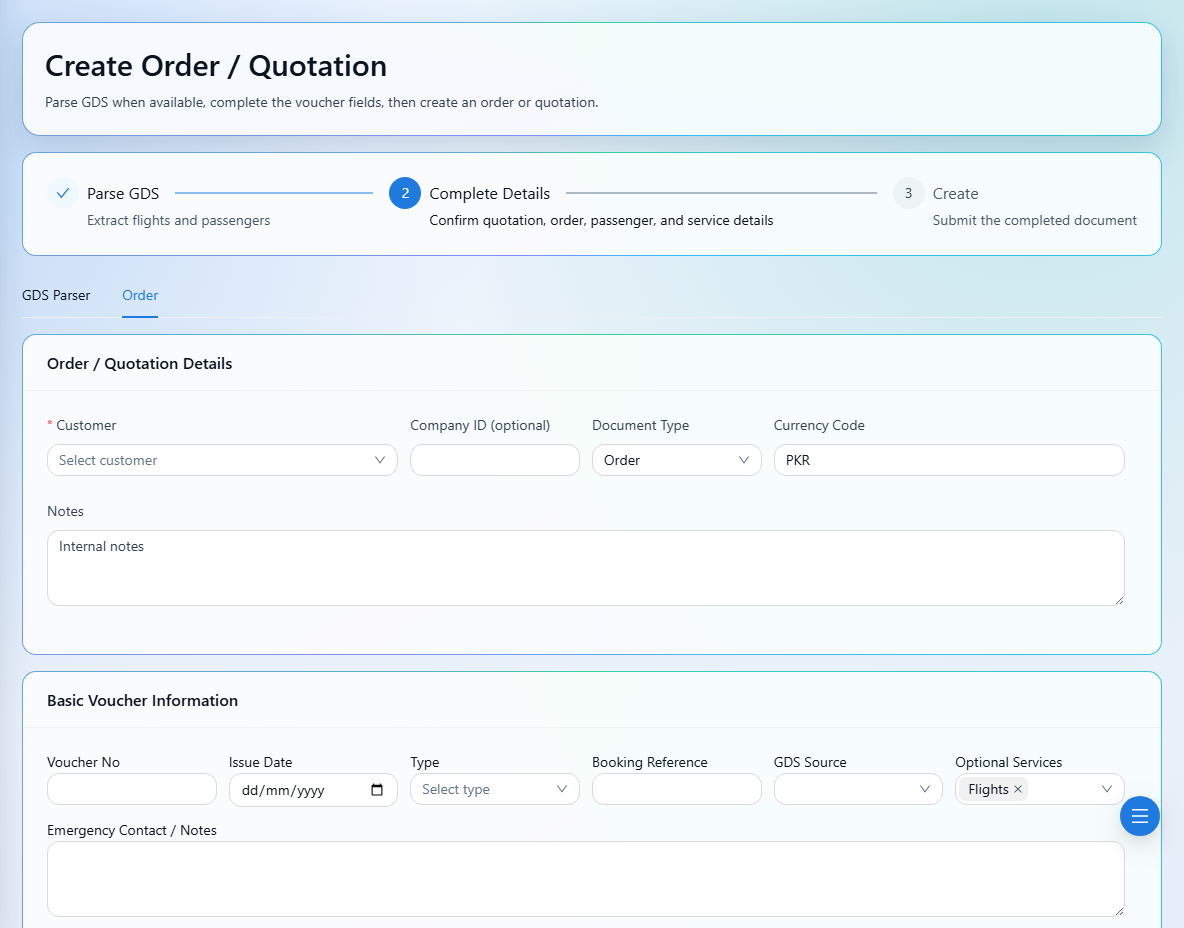
Review each stage before submitting. A quotation, an invoice, and a receipt represent different stages of your booking.