Add flights and passenger pricing
Record flight details, customer prices, and supplier costs.
Finance → Create Order → Order → Flights
Step by step
- 1
In Flights, enter the GDS PNR, airline PNR, date, flight number, route, departure and arrival times, cabin, booking class, and baggage.
- 2
Select the flight vendor so the supplier cost can be associated with the correct payable.
- 3
In the passenger pricing area within Flights, review the passenger name and enter flight cost, profit, and sales amount as shown.
- 4
Check each passenger pricing row against your booking and confirm the customer-facing total.
See it in the workspace
Actual portal screens. Private values are hidden where needed. Open an image to see it at full size.
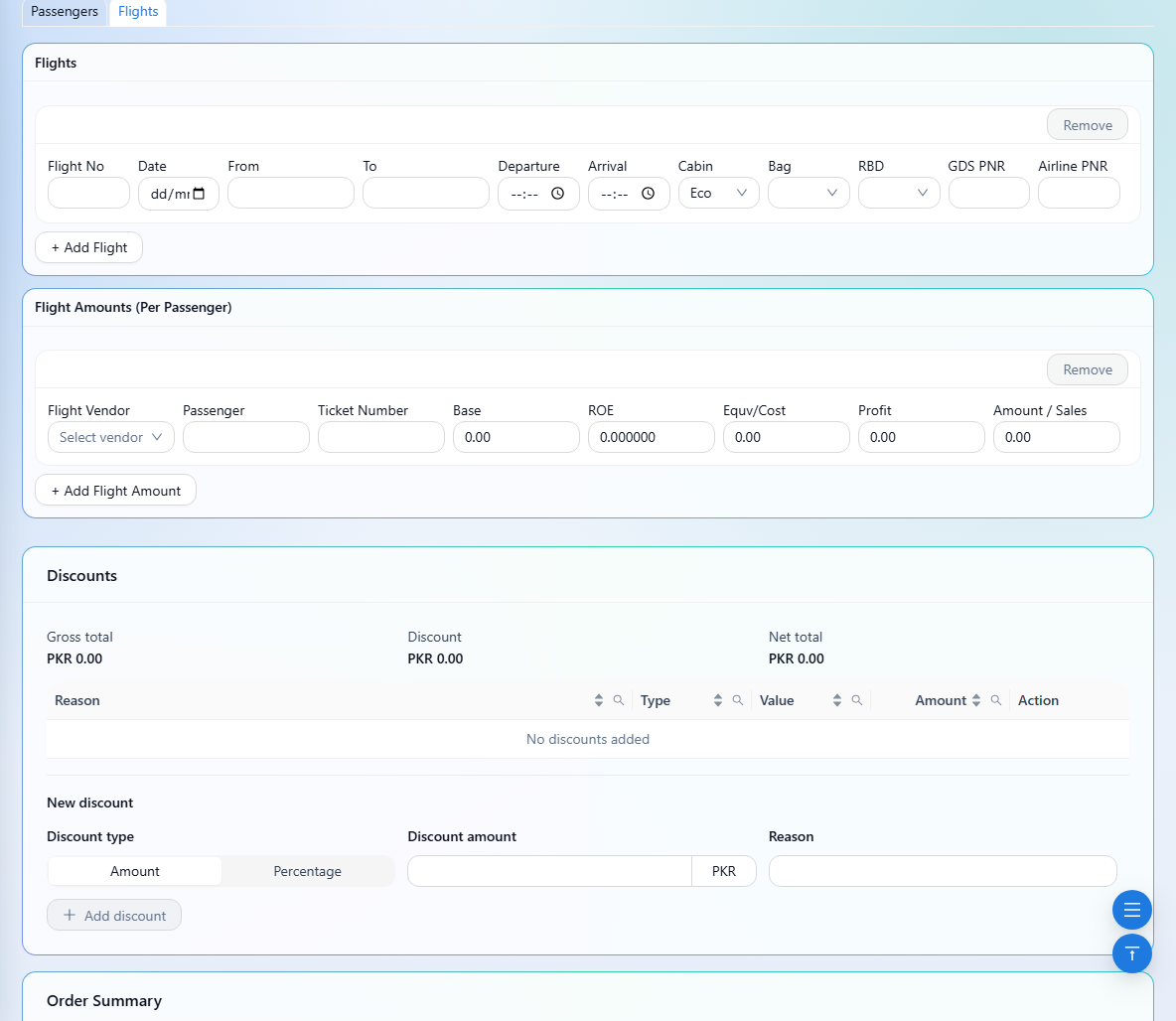
Flight references alone do not create a sales amount. Passenger pricing provides the priced flight items; vendor-linked costs support payables and profit reporting.